When I first started working with Unity, I immediately began thinking of projects that would help me learn the engine in a practical way. I'm a big fan of Doom, so creating a remake of the original game felt like a natural starting point. I quickly came up with ideas for implementing its mechanics, but before I could begin, I needed assets.
While creating my own assets was an option, my primary goal with this project was to focus on scripting and HUD development rather than art. To address this, I used SLADE 3, a tool for editing the original DOOM engine, which allowed me to extract sprites and audio directly from the game. With these assets imported into Unity, I was able to fully concentrate on implementation.
Within two weeks of experimenting with Unity, I had already implemented core features, including the pistol and shotgun, the HUD, and a basic enemy system to test the guns on.
However, as the project expanded, it became increasingly difficult to maintain and extend. I noticed I was often asking, “Can I quickly add this feature?” rather than, “How can I design this in a way that scales and remains maintainable?” That shift in mindset highlighted weaknesses in the project’s structure.
As a result, I decided to restart the project from scratch—this time with a clearer plan, stronger architecture, and a focus on building systems that could grow over time.
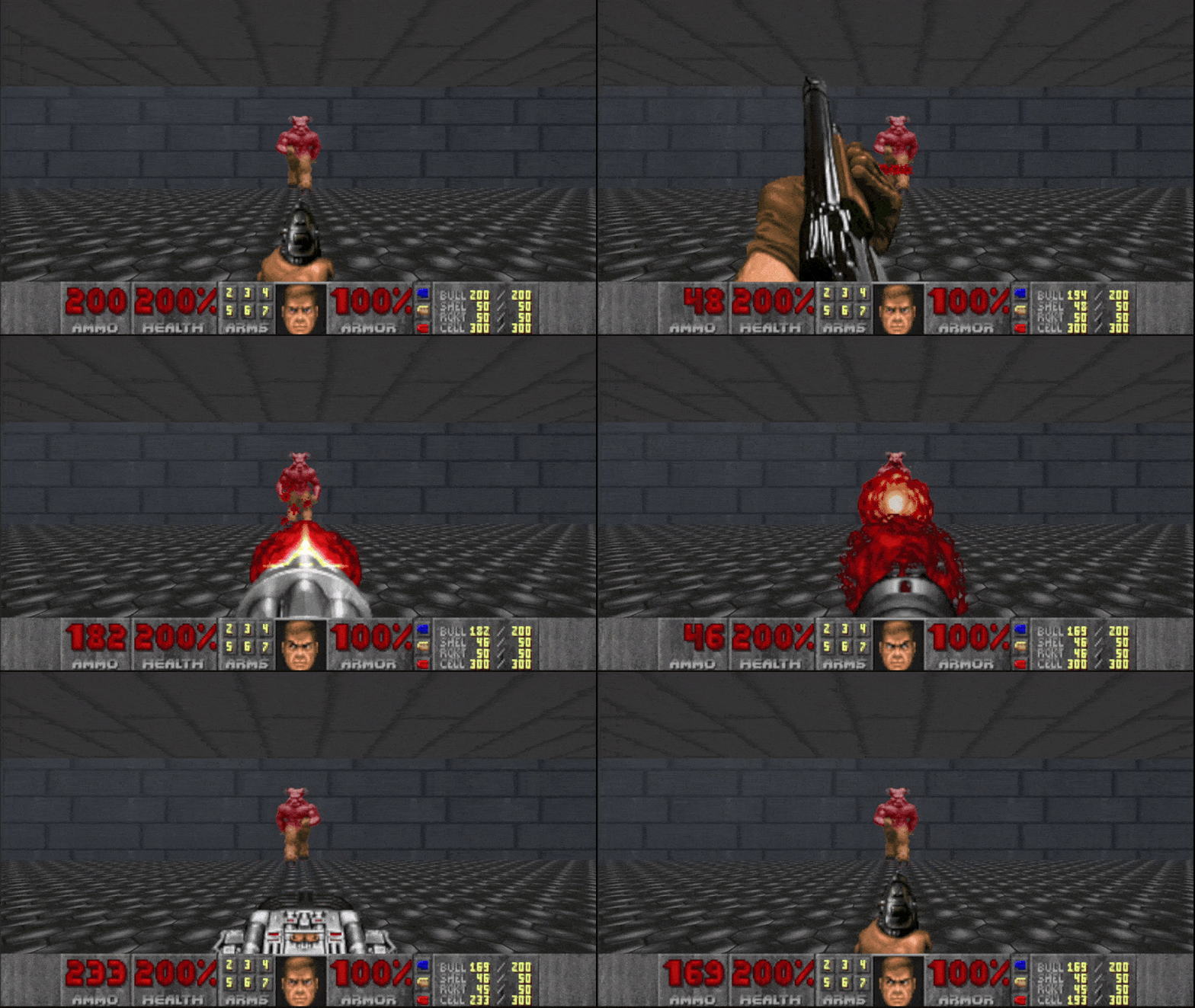
With this new approach, I quickly rebuilt the HUD, making sure all values updated correctly. Weapon and keycard icons light up when collected, and DOOM guy's face gets bloodier with lower health.
I also spent more time thinking about how to implement the guns, ensuring that all weapons could be created using shared base logic. This allowed me to eventually implement all the guns from the original game. I did a lot of research into how DOOM’s weapons and HUD worked so I could recreate them as closely as possible, both in logic and animation. This time around, I used coroutines and state-based logic, which made animating the weapons much easier. All weapons are rendered as sprites on the canvas, which worked well but sometimes required careful alignment to make them look right.
Although I had many more plans for this project, I had to move on due to time constraints. I’m really happy I chose to make this. It significantly sped up my learning process in Unity and gave me a much stronger foundation, which helped me create better and larger projects afterward.
Although I had many more plans for this project, I had to move on due to time constraints. I’m really happy I chose to make this. It significantly sped up my learning process in Unity and gave me a much stronger foundation, which helped me create better and larger projects afterward.
Controls:
LMB : Shoot
WASD : Move
1–7 : Select weapon
Scroll wheel : Change health
– / + : Adjust volume